On this page, you get Everything You Need to Know About UI Online. Get answers to frequently asked questions (UI Online FAQs) we receive about UI Online. We want to help you file for unemployment quickly and easily online.
UI Online General Information FAQs
What is UI Online?
UI Online offers a fast and convenient way for Unemployment Insurance customers to manage their claims. It provides secure access to claim information and allows users to certify for benefits. Customers can report work and wages and view detailed payment information. They can do this 24 hours a day, 7 days a week.
Customers on Partial or Work Sharing claims cannot certify for benefits using UI Online at this time. They also cannot reopen an existing claim. However, they can access all other features of the system.
Who can use UI Online?
Only customers who have an existing unemployment claim and an EDD Customer Account Number can register for UI Online.
Can I use UI Online to file any type of unemployment claim online?
Yes, but there are some exceptions. Federal employees and former military service members cannot file online. If you are filing for regular unemployment, you can use UI Online.
After you create your myEDD account, you can start using UI Online when:
- You receive a Welcome email saying you’ve been registered. Then you can begin using UI Online immediately.
- You receive your EDD Customer Account Number in the mail. Once you have this, you can register for UI Online.
Can I access UI Online from a mobile device?
Yes. For added convenience, UI Online is available on your smartphone or any other mobile device.
What if I don’t have a computer or an email address?
Free computers are available at your local America’s Job Center of California throughout the state. You can also find them at public libraries. If you don’t have a personal email account, you will need to create one. It’s quick and easy, and there are many free options available.
If I have a question about UI Online or other unemployment-related questions, what should I do?
You can ask a question using UI Online. For other options such as phone or mail, visit Contact UI.
UI Online Registration FAQs
What information is needed to register for UI Online?
You will need to have the following information:
- First and last name you provided us
- Date of birth
- Personal email address not shared with anyone else
- Social Security number
- EDD Customer Account Number
What is an EDD Customer Account Number?
The EDD Customer Account Number is a unique, 10-digit account number assigned by the Employment Development Department. Currently, this number is used on certain written correspondence and to register for UI Online. It does not replace your Social Security number.
When will I receive my EDD Customer Account Number?
All customers who file a new unemployment claim will receive a letter. This letter is the Employment Development Department Customer Account Number Notification (DE 5614). This letter will arrive within 10 business days of filing.
If you have lost, misplaced, or never received your EDD Customer Account Number, contact the EDD:
- Online: Go to Ask EDD. Select the category Unemployment Insurance Benefits. Then choose the subcategory UI Online (UIO) and the topic EDD Customer Account Number. Select Continue at the bottom of the page to begin the process of submitting your message.
- By Phone: Call 1-800-300-5616 from 8 a.m. to 5 p.m. (Pacific time), Monday through Friday.
How do I register for UI Online?
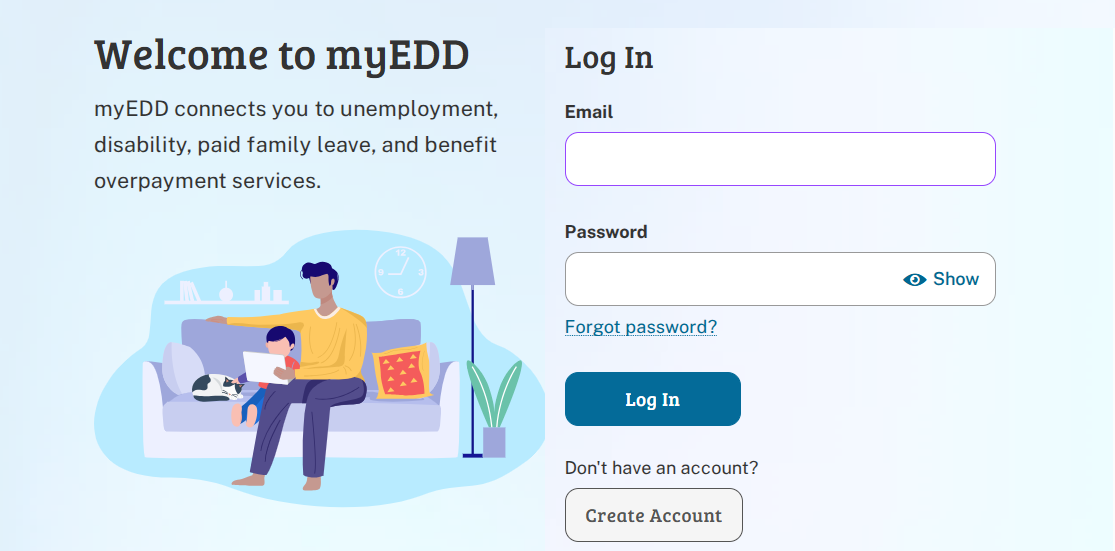
Log in to myEDD and select UI Online to get started.
What is myEDD?
Using a single and secure login, myEDD allows you to access UI Online, SDI Online, and Benefit Overpayment Services.
Why can’t I register for UI Online?
You must have a myEDD account. You also need an active unemployment claim. Additionally, you must have received your EDD Customer Account Number. These are required to register for a UI Online account.
UI Online Certify for Benefits FAQs
How do I certify for benefits using UI Online?
Log in to myEDD and select UI Online to get started. Then select Certify for Benefits from the main menu. Most customers certify for continuing benefits for two weeks at a time.
If you have multiple weeks that need to be certified, you’ll start with the oldest week first. You can only certify for two weeks at a time, regardless of the number of weeks available. You must answer all of the certification questions. They are the same questions as on the paper Continued Claim Form (DE 4581).
Once you respond to all questions, you will receive a confirmation number. This number indicates that your certification was properly submitted. Be sure to keep a record of your confirmation number. For more information, visit Certify for Benefits.
How do I know if I have weeks available to certify for benefits?
The Notifications section of your UI Online homepage will display a message. It will indicate that there is one or more weeks available to certify. If there are no weeks to certify, you will receive a notification to check back at a later date.
Are the UI Online certification questions the same as on the paper Continued Claim Form (DE 4581)?
Yes, they are the same. However, you are asked some clarifying questions through UI Online. This will provide us with additional information and will help speed up the processing of your certification.
How do I report work, wages, and other income?
From the UI Online homepage, select Certify for Benefits. When certifying for benefits, say “Yes” to question six. The question asks, “Did you work or earn any money, whether you were paid or not?” The system will prompt you to provide additional information about your earnings.
Notify us of your weekly certification as soon as you begin working. Make sure to do this in the week in which you worked. Do not wait until you receive your first paycheck to report wages. Wages must be reported for the week they were earned, not when paid.
When certifying for benefits, can I save my information and complete the certification process at a later time?
No. UI Online does not have a “save draft” feature when certifying for benefits. You should gather all of your information before you certify for benefits. This includes your wages if you worked during the certification period.
Will I have a chance to review all of my answers before I submit them online?
Yes. Before your certification is complete, you can review your answers on the summary screen and make changes if necessary.
Will I get a confirmation number when I submit my certifications using UI Online?
Yes. You will also have an option to print your confirmation page.
Can I view my certification once I’ve submitted it and received a confirmation number?
Yes. Access the Claim History screen from the main menu. Once you’ve located the desired week, select Certification to view your responses to the certification questions.
Can I make changes to my certification after I have received a confirmation number?
Yes. After you submit your certification, you will receive a confirmation number. You can make changes by sending a question through the Contact Us page in your UI Online account.
Select the category Certify for Continued Benefits and the topic Made a Mistake on Continued Benefits Certification. Be sure to specify the affected week(s) and provide a brief description of what happened along with the correct information.
UI Online Payment Information FAQs
Does using UI Online change how I receive my payments?
No, how you receive payments will not change. With UI Online, you can access detailed payment information for all payments made. You can set an alert as an added convenience. This alert notifies you whenever the EDD deposits funds to your debit card. Contact Money Network online or call the number on the back of your card.
How do I view my payment information?
Log in to myEDD and select UI Online. Then select Payment Activity from the UI Online main menu.
How can I view my payment details?
To view detailed payment information, select the Payment Activity link from the main menu. This includes information on how the payment calculated wages, overpayments, and voluntary federal tax withholding amounts.
Then select Details for the desired week. If the Details link is not available for a specific week, no payment was made for that week. This can be a result of excessive earnings, a disqualification, or another eligibility issue.
Why do I have a “Pending” or “Not Paid” status?
The following are some reasons for a Pending or Not Paid status:
Able and available to work – You are not eligible for benefits that week. This is true if you said you were not able to work. The same applies if you were not available to work when you certified. Even if you are not eligible for benefits one week, you are eligible in other weeks. Continue to certify.
Earnings – If you earned too much in a week, you are not eligible for benefits that week. When certifying for regular unemployment benefits, you must report total earnings for the week you worked. The first $25 or 25% of your wages, whichever is greater, is not deducted from your benefit amount. However, the rest will be deducted.
Suitable work – If you said you refused any work when you certified, we must schedule a phone interview. We need to ask why you refused the work. We will also contact the employer who offered you the job.
If you refuse to return to your job without good cause, you will lose your eligibility for benefits. If you refused other suitable work without good cause, you will lose your eligibility for benefits. You will not receive benefits without good cause. To learn more about a good cause, refer to Returning to Work.
We need to confirm your eligibility for unemployment. We will schedule a phone interview with you. We also contact your employer.
Contact Information and Personal Preferences
How do I update my address or phone number?
Select Personal Profile from the main menu, then select Contact Information.
How do I set my language preference?
Log in to myEDD and select UI Online. Then select Personal Profile from the menu and select Personal Preferences. You can set a preference for both your spoken and written languages in either English or Spanish.
How do I set a preference to receive EDD correspondence electronically?
Log in to myEDD and select UI Online. Then select Personal Profile from the menu and select Personal Preferences. In the Correspondence Method, select E-mail from the drop-down menu. However, only certain EDD correspondence can be sent electronically. In some cases, we are required to mail correspondence to you.
How do I opt out of receiving the paper Continued Claim Form (DE 4581)?
Log in to myEDD and select UI Online. Then select Personal Profile from the menu and select Personal Preferences. You can set a preference to certify for benefits only online or by phone. If you select this option, the paper Continued Claim Form (DE 4581) will not be mailed to you.
Note: We need to send some documents via US mail.
Reopen an Existing Claim to Resume Claiming Benefits FAQs
How do I reopen an existing claim using UI Online?
Log in to myEDD and select UI Online to get started. Then select Reopen Your Claim from the UI Online homepage. For more information, visit Reopen an Unemployment Insurance Claim.
Note: Customers on Partial or Work Sharing claims cannot reopen a claim using UI Online at this time. They can access all other features of the system.
Appointments (In-Person Appointments and Phone Interviews) FAQs
How do I view my in-person and phone interview appointments?
All appointments are on your UI Online homepage in the Appointments section. If you do not have any appointments, this section will not show on your homepage.
Can I change an in-person appointment using UI Online?
No. In-person appointments, such as Reemployment and Eligibility Assessment appointments, cannot be rescheduled. Failure to report to an in-person appointment can affect your eligibility to collect benefits.
Can I change a phone interview using UI Online?
Yes. However, changing your appointment to a later date will further delay the processing of your claim. To change a phone interview appointment, go to your UI Online homepage.
Select Reschedule in the Appointments section. Follow the instructions provided. You will not be able to reschedule same-day appointments.
What happens if the EDD does not call me during my appointment time?
You will not get a call from the EDD at your scheduled appointment time. We have canceled your appointment. This is because we confirmed your eligibility or resolved the issue before your interview. Check UI Online for your current payment status.
Why is my phone appointment no longer showing in UI Online?
We may have canceled your appointment because we confirmed your eligibility or resolved the issue before your interview. If your appointment has been canceled, it will no longer display in UI Online. Check UI Online for your current payment status.
Obtain Form 1099G Information FAQs
How do I access and print Form 1099G tax information?
Log in to myEDD and select UI Online to get started. Then select Form 1099G from the main menu.
How far back can I obtain Form 1099G information?
Information is available for up to five years. Form 1099G information appears only in a tax year when you received Unemployment Insurance. It will also work if you received Disability Insurance or Paid Family Leave payments.
Customer Support and Online Help FAQs
Is online help available for UI Online?
We offer many online tools to help you with UI Online. These include fact sheets, instructional videos, and FAQs. Help text is available in UI Online by clicking the question mark (?) icon or selecting the Help link in the upper-right-hand corner of each screen.
How can I get more information about unemployment or my claim?
Contact us online using UI Online. You can also speak to a representative by calling 1-800-300-5616 from 8 a.m. to 5 p.m. (Pacific time), Monday through Friday, except on state holidays.
Error Messages and Technical Issues FAQs
Who can help me with technical issues in UI Online?
For technical help with registration, password resets, and EDD Account Numbers, call us at 1-833-978-2511. For assistance with using UI Online, also reach out during business hours. Our hours are from 8 a.m. to 5 p.m. (Pacific time), Monday through Friday, except on state holidays.
Note: Representatives will not have access to your claim or payment information.
What does it mean when I receive an error message in my UI Online account?
If you receive an error message, check all the information you entered. Ensure it is accurate. This includes your full name, date of birth, etc. Be sure to complete all required fields, which are marked with a red asterisk (*).
You should also close your browser and try again. In some cases, the error message can display an error code number and instructions on how to contact us.
You can also submit a question by using Ask EDD. Select the Unemployment Insurance Benefits category, then UI Online (UIO) subcategory, and the topic I Received an Error Message. Be sure to provide the error code number from the message so we can better assist you.
Why was I timed out of UI Online?
To protect your account, UI Online will automatically time out after 30 minutes of inactivity. However, five minutes before your session is scheduled to end, you will receive a warning message.
The message will read: “Your current session with UI Online is about to expire. Select Yes to continue using UI Online. Select No to end your session; any unsaved data will be lost.” To avoid the timeout warning, select a button or link at least every 25 minutes.
Can I use any web browser to access UI Online?
Our online services are compatible with the latest versions of Google Chrome, Mozilla Firefox, and Internet Explorer. For the best experience, use the latest version of Chrome or Firefox.
Do I need to disable pop-up blockers?
Yes. You must disable pop-up blockers to access the features of UI Online.