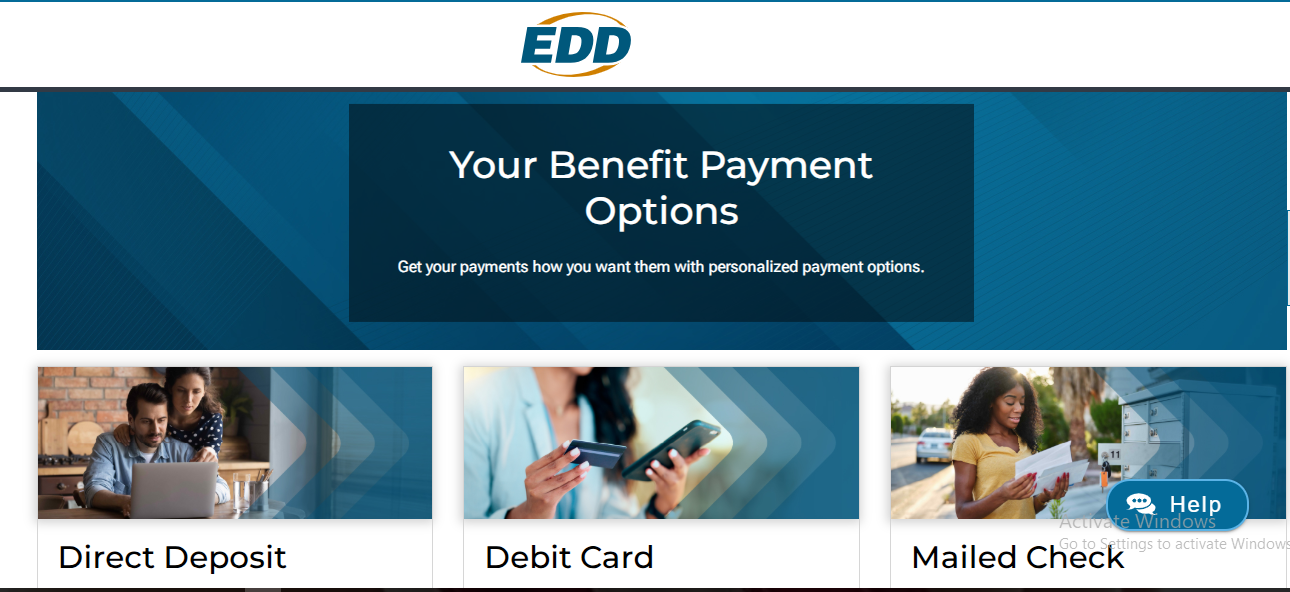
This page explains myEDD Payment Options. Learn how to get your payments and how you want them with personalized payment options.
1: Direct Deposit
Direct Deposit is a safe, fast, and easy way to receive your payments deposited into your personal bank account automatically. Make purchases, pay your bills, or get cash as soon as your benefits are deposited.
- It’s fast and easy to enroll. All you need is your checking or savings account information.
- Secure and reliable payments.
- Receive direct payments to your personal bank account.
- Use your money instantly and save time managing a single account.
How to Set up Direct Deposit
New customers can select direct deposit as their benefit payment option when they apply for any of our benefit programs. Existing customers can update their benefit payment option by first logging in to myEDD. You’ll need the routing and account number for the bank account you want to use.
Unemployment Benefits
- Log in to your myEDD account and select UI Online.
- Select Register or Manage.
- Select Profile.
- Locate Benefit Payment Option, then select Update Your Payment Option.
- Select Direct Deposit, then Save.
- Enter your personal banking information.
- Agree to the Direct Deposit Terms of Use and Prepaid Debit Card Disclosures, then select Submit.
Disability and Paid Family Leave
- Log in to your myEDD account and select SDI Online.
- Select Profile.
- Locate Benefit Payment Option, then select Edit Payment Option.
- Select Direct Deposit, then Save.
- Enter your personal banking information.
- Agree to the Direct Deposit Terms of Use and Prepaid Debit Card Disclosures, then select Submit.
When to Expect Your Payments
If you’re eligible for benefits, your payment is usually deposited into your bank account within three days. Payments show as “UI Deposit” or “DI Deposit” on your bank statement.
Note: Holidays and weekends will delay your payment until the next business day.
If your myEDD account shows a payment as processed, but it is not deposited to your bank account, contact your bank. Your bank will provide more information. If your bank has no record of receiving the deposit, call Money Network at 1-800-684-7051.
2: Money Network Prepaid Debit Card
Use your Money Network Prepaid debit card to pay bills, buy groceries, and everything in between. We issue your benefit payments on a debit card that’s fast and convenient. Plus, there’s no credit check, and we don’t monitor your transactions.
- No personal bank account required.
- No credit check.
- Withdraw cash at ATMs, banks, and stores with cash-back options
- Transfer funds to the bank of your choice at no additional cost.
- Receive fraud protection from a Zero Liability Policy.
- Receive the first payment in 7-10 days and future payments within 2 days.
How to Activate and Use Your Card
Activate Your Card: Call 1-800-684-7051. You can also download the Money Network App. Use these methods to activate your debit card. You can also set your PIN and check your balance.
Use Your Card: Once your card is activated, you can use it like you would a personal debit card. Buy groceries, pay bills, get cash back, and more.
Manage Your Card: Log in to your Money Network account. Alternatively, download the Money Network App to check your balance, lock your card, and more.
Transfer money from your Money Network prepaid debit card to a personal bank account. Transfers take two to three business days.
How to Get Payments by Money Network Prepaid Debit Card
Unemployment
- Log in to your myEDD account and select UI Online.
- Select the Register or Manage button.
- Select Profile.
- Locate Benefit Payment Option, then select Update Your Payment Option.
- Select Debit Card, then Save.
Note: Benefit payment options can be updated in UI Online any day between 6 a.m. – 8 p.m.
Disability and Paid Family Leave
- Log in to your myEDD account and select SDI Online.
- Select Profile.
- Locate Benefit Payment Option, then select Edit Payment Option.
- Select Debit Card, then Save.
Note: Benefit payment options can be updated in SDI Online any day between 6 a.m. – 8 p.m.
When to Expect Payments
The first payment arrives 7-10 days after becoming eligible. Customers who already have a debit card receive payments within 2 days after certifying and meeting eligibility requirements.
Note: Holidays and weekends will delay your payment until the next business day.
3: Mailed Check
Get checks by mail and decide when and where you deposit or cash them.
- No fees to receive your check by mail
- Privacy and control of your personal bank information.
- Deposit anytime and anywhere by ATM, at your preferred bank, or cash it at a location of your choosing.
- No personal bank account required.
How to Get Payments by Check
Unemployment Insurance
- Log in to your myEDD account and select UI Online.
- Select the Register or Manage button.
- Select Profile.
- Locate Benefit Payment Option, then select Update Your Payment Option.
- Select Mailed Checks, then Save.
Note: Benefit payment options can be updated in UI Online any day between 6 a.m. and 8 p.m.
Disability and Paid Family Leave
- Log in to your myEDD account, then select SDI Online.
- Select Profile.
- Locate Benefit Payment Option, then select Edit Payment Option.
- Select Mailed Checks, then Save.
Note: Benefit payment options can be updated in SDI Online any day between 6 a.m. and 8 p.m.
When to Expect Your Payment
Payments arrive within 7-10 days after you certify for benefits and are found eligible. If you do not receive a payment, contact us.
Note: Holidays and weekends will delay your payment until the next business day.